
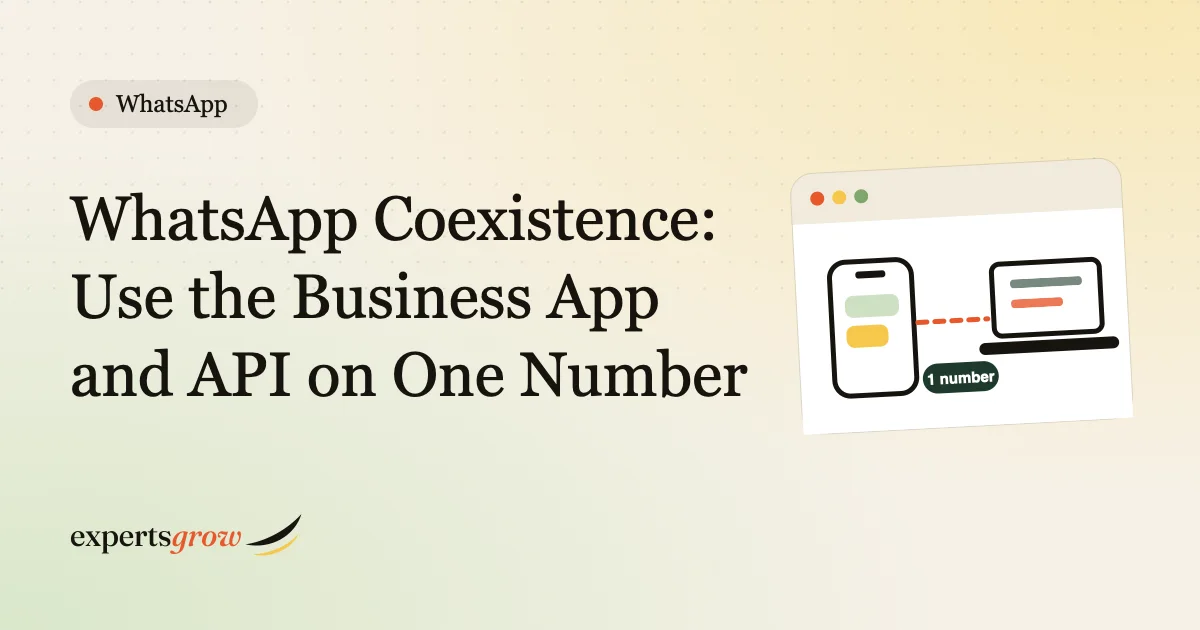
What is WhatsApp coexistence? WhatsApp coexistence lets a business use the WhatsApp Business app and the WhatsApp Business API on the same phone number at the same time. Your team keeps answering customers from the app on their phones, while automation sends order confirmations, tracking updates and routine replies through the API. Before WhatsApp coexistence, moving a number to the API switched the app off for that number. This guide explains how coexistence works, what changes in the app, what the API side cannot do, how billing works and when it is the right choice for an online store.
The short version
- Same number, two tools: WhatsApp coexistence keeps the Business app for people and the API for automation.
- Setup is not a button in the app. It happens through a provider’s signup flow (a Meta Solution Partner or Tech Provider), using your existing Business app number.
- Some app features change. With WhatsApp coexistence, broadcast lists become read-only, and disappearing messages are switched off for one-to-one chats.
- Keep the app active. If the main phone is inactive for about 14 days, the connection can drop.
In this guide
Everything below about WhatsApp coexistence is based on Meta’s developer documentation on onboarding WhatsApp Business app users, checked on 9 November 2026. Meta updates this feature often, so ask your provider to confirm the current rules before you connect.
The problem WhatsApp coexistence solves
Many small stores in Pakistan start on the WhatsApp Business app. It is free and simple. Then they want automation: a message when an order is placed, a tracking update, an answer at midnight. Automation needs the API.
The old choice was uncomfortable. To get the API you moved your number to it, and the app stopped working on that number. Your team lost the phone chat they were used to, and you either built or bought a new inbox. WhatsApp coexistence removes that forced switch. You keep the number your customers already know and the app your team already uses.
How WhatsApp coexistence works day to day
When WhatsApp coexistence is on, there are two sides:
- The Business app. Your team opens the app and chats as usual. Messages they send from the app are also passed to your connected system as “echoes”, so your software can show a complete conversation.
- The API. Your store and automation send template messages and replies through the API. Customer messages arrive in both places.
For the customer it is one chat with one business number. They cannot tell whether a message came from the app or the automation, which is why your automated wording should read like your team.
A typical WooCommerce example: a customer places a COD order, and the API sends a confirmation with Confirm and Cancel buttons. If the customer asks a question the bot cannot answer, the chat is handed to a person, who replies from the Business app on the same number. You can try this handoff in the simulator on our WhatsApp automation for WooCommerce page.
What you need for WhatsApp coexistence
- The WhatsApp Business app, version 2.24.17 or higher, with your existing number. Meta’s documentation describes coexistence for businesses that use the Business app, not the regular personal WhatsApp app.
- A provider that can onboard you. Meta describes onboarding through Embedded Signup, run by a Solution Partner or Tech Provider. You do not turn it on inside the app alone.
- Your customer-facing consent. During signup, the business chooses whether to share chat history with the connected system. If you decline, the provider receives a notice that history sharing was refused.
- An integration that handles the incoming data, including message echoes, so your automation and inbox stay in step.
If you do not yet have API access at all, start with our guide to getting the WhatsApp Business API in Pakistan.
What syncs when you connect
| Item | What Meta says syncs |
|---|---|
| Contacts | Contacts with a WhatsApp number can be synced once at onboarding, and later changes arrive as updates |
| One-to-one chat history | Messages from the 180 days before onboarding, delivered in three phases |
| Media | Media files only for messages from the last 14 days before onboarding. Older media shows as placeholders |
| Group chats | Not synced |
| Timing | Your provider has 24 hours after onboarding to sync contacts and history, and each sync runs once |
Practical meaning: your team’s recent customer conversations can appear in the new system, so an agent does not start from a blank screen. Plan the onboarding at a quiet time, and keep the app open while the sync runs.
What WhatsApp coexistence changes inside the Business app
This is the part to explain to your team before you connect.
| Business app feature | What happens with coexistence |
|---|---|
| Broadcast lists | You cannot create new ones, and existing lists become read-only |
| Disappearing messages | Turned off for all one-to-one chats |
| View once messages | Disabled for one-to-one chats |
| Live location | Disabled for one-to-one chats |
| Edit and delete for everyone | Supported |
| Linked devices | All linked devices are unlinked at onboarding, and you can re-link supported ones, up to four |
| WhatsApp for Windows and WearOS | Not supported as linked devices |
If your team sends promotions to broadcast lists today, you will need another way to send those messages, such as marketing templates through the API with proper opt-in.
What the API side cannot do
Meta lists several things that are not supported on the Cloud API side of a coexistence number. These still work in the Business app where the app supports them, but your connected software will not reproduce them:
- Group chats and voice or video calls.
- Business tools such as catalog, orders and status.
- Messaging tools such as the app’s greeting and away messages, quick replies and labels.
- Business profile settings and channels.
That means your automation needs its own versions of greetings, quick answers and tags. A good integration rebuilds them as template messages and rules.
WhatsApp coexistence speed limit and keeping the connection alive
- Throughput: a number used with both the app and the API has a fixed throughput of 20 messages per second. That is plenty for order updates, but a large marketing blast should be spread out.
- Activity: Meta’s documentation describes a disconnection if the primary phone is inactive for about 14 days, and for a linked companion device after about 30 days. Ask your team to open the Business app regularly, and ask your provider how they alert you if the connection drops.
How billing works with WhatsApp coexistence
Meta’s pricing documentation draws a clear line:
- Messages sent from the Business app stay free.
- Messages sent through the API are billed at API rates.
- Customer service windows open only from a customer’s message to the API. Messages sent from the Business app do not open or affect those windows.
The last point has a practical effect. Suppose a customer last wrote 30 hours ago and your agent replies from the app. That reply does not reopen the 24-hour window for your automation, so a later automatic update still needs an approved template. Read how Meta charges per message in our guide to the WhatsApp Business API in Pakistan, and how to choose categories in our guide to WhatsApp message templates for WooCommerce.
WhatsApp coexistence, full migration or a separate number?
| Option | Best when | Trade-off |
|---|---|---|
| Coexistence | Your team already chats with customers in the Business app and you want automation on the same number | Some app features change, and the app must stay active |
| Full move to the API | You want one central inbox and no phone use, with many agents | The app stops working on that number, so you need an inbox and training |
| A new, separate number for the API | You want a clean start, or your current number should stay untouched | Customers have two numbers to remember, and old chats stay behind |
A simple test: if more than one or two people reply to customers from phones today and you do not want to retrain them, coexistence is the least disruptive path. If you already run a call centre with a shared inbox, a full move may suit you better.
Where WhatsApp coexistence fits in an online store
- Order messages: confirmations, shipping updates and delivery notices go out automatically through the API.
- COD confirmation: the bot asks the customer to confirm, and a person steps in for unclear replies. See how to reduce fake COD orders with WhatsApp.
- Abandoned carts: an opted-in customer gets one reminder, and any reply can reach a person. See WhatsApp abandoned cart recovery for WooCommerce.
- Complex questions: returns, custom orders and complaints go to your team in the app.
WhatsApp coexistence checklist before you connect
- Confirm that you use the WhatsApp Business app (not personal WhatsApp) and update it to the latest version.
- List your broadcast lists and decide how you will replace them.
- Choose who on your team will keep the app active and open it regularly.
- Ask your provider who owns the WhatsApp Business Account and the access tokens. It should be your business.
- Decide whether to share chat history and tell your team what will be visible in the connected system.
- Test with a handful of real orders before you switch on every automation.
- Write a simple rule for handoff: what the bot answers and what goes to a person. WhatsApp’s business messaging policy expects a clear path to a human even when you automate.
Frequently asked questions
Can I use WhatsApp coexistence with a personal WhatsApp number?
Meta’s documentation describes coexistence for businesses that use the WhatsApp Business app. If you use personal WhatsApp today, move to the Business app first.
Does WhatsApp coexistence cost extra?
Messages sent from the Business app stay free, and messages sent through the API are billed at API rates. Your provider may also charge a subscription. Check Meta’s pricing page for current per-message rates.
Will my customers notice any change?
They keep the same number and the same chat. They only notice if automated messages feel different from your usual tone, so write your templates in your own voice.
Can I still send broadcast lists?
No new ones. Existing lists become read-only. Use opted-in marketing templates through the API instead.
Can I switch back later?
You can disconnect the number from the API, but the exact steps depend on your provider and your setup. Ask before you connect, and keep a note of your templates and contacts.
Is WhatsApp coexistence available for every business and country?
Eligibility can depend on your account, your app version and your provider. Your provider confirms it in the signup flow. Our team can walk you through the checks and build the WooCommerce side.
How is coexistence different from linked devices?
Linked devices are extra screens for the same app account. WhatsApp coexistence connects the same number to the API so software can send and receive messages as well.
Want WhatsApp coexistence working with your WooCommerce store?
Tell us how your team handles WhatsApp today and we will say whether coexistence suits you and which flows to build first. Read about the whole service on our WhatsApp automation for WooCommerce page, or see our AI and workflow automation service for other connections.