
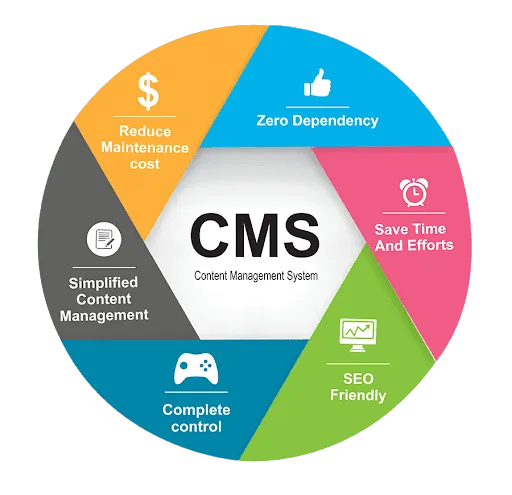
A content management system, or CMS, is software that lets you create, edit and publish website content without writing code. You log in, type or paste your content, add images and press publish. The CMS takes care of turning that into web pages and showing them to visitors.
How a CMS works
Most systems have two parts:
- The content management application, the dashboard where you write pages, upload media and manage users.
- The content delivery application, the part that stores your content in a database and builds the finished pages visitors see.
Because content and design are kept separate, you can change a theme or layout without rewriting every page.
Main types of CMS
Traditional (coupled) CMS
The CMS handles both the content and the front end. WordPress is the best-known example. It is quick to set up and works well for most business websites and blogs.
Hosted or all-in-one platforms
Services such as Wix, Squarespace and Shopify include the software, hosting and support in one subscription. They are easy to start with but give you less control over code and portability.
Headless CMS
A headless CMS stores content and delivers it through an API to any front end, such as a website, a mobile app or a kiosk. It suits larger teams and custom projects, but needs developers.
Popular CMS platforms
- WordPress powers a very large share of the web. It is flexible, has thousands of plugins and themes, and suits everything from blogs to online stores with WooCommerce.
- Shopify is built for online stores, with payments, inventory and shipping built in.
- Wix and Squarespace are drag-and-drop builders for simple sites.
- Joomla and Drupal are open-source systems used for more complex or enterprise sites.
Benefits of using a CMS
- No coding needed for everyday updates.
- Several people can work together with different permission levels.
- Faster publishing, since templates keep every page consistent.
- Easy to extend with plugins for SEO, forms, bookings and shops.
- SEO tools for titles, descriptions, sitemaps and structured data.
Drawbacks to know about
- Security needs attention. Popular systems are common targets, so updates, strong passwords and backups matter.
- Plugins can slow the site if you install too many or choose badly built ones.
- Hosted platforms can lock you in, making it harder to move your site later.
How to choose the right CMS
Ask these questions before you decide:
- What will the site do: publish content, sell products, take bookings?
- Who will update it, and how technical are they?
- How much will it need to grow in the next two to three years?
- Do you need full ownership and the ability to move hosts?
- What budget do you have for design, hosting and maintenance?
For most small and medium businesses that want control, good SEO and room to grow, WordPress is a strong choice.
Need help building on a CMS?
We design and build WordPress and Shopify websites, and keep them fast and secure afterwards. See our WordPress development service or contact us to talk through your project.
